The more microservices you have, the harder it is to observe and connect them.
Use Federation to connect, observe and collaborate on your microservicesCompose independently owned microservices into one GraphQL API. Cosmo gives you the open-source router, a schema registry that checks changes before you publish them, and the metrics and traces to run it.
What is a microservice federation platform?
A microservice federation platform is the tooling that composes the APIs of independently owned microservices into one GraphQL API, called a federated graph or supergraph. It includes a router that plans and runs queries across services, a schema registry that checks changes before they ship, and observability that traces each request across the services it touches.
Router
Plans each query across subgraphs and merges the responses. Cosmo Router is Apache 2.0 and written in Go.
Schema registry
Composes subgraphs into one federated graph. wgc subgraph check tests a change for composition errors and breaking changes before you publish it.
Observability
Metrics and traces per operation and client in Cosmo Studio. Router metrics carry the subgraph name, so you can also break them down by subgraph in your own OpenTelemetry or Prometheus stack.
Ownership and review
In WunderGraph Hub you assign owners to types and subgraphs, and Hub adds them as required reviewers on proposals that touch their part of the graph.
New to federation? Start with what GraphQL Federation is, or see how to migrate from a GraphQL monolith.
Set up federation in five steps
- 1
Start with the graph you have
Register your existing GraphQL service in Cosmo. You can start it as a monograph (federation off, one subgraph) and convert it with
wgc monograph migrate, then update its label matchers and labels so the second subgraph composes in. Or create a federated graph from day one.npx wgc federated-graph create production -r https://router.example.com/graphql --label-matcher graph=shop - 2
Draw boundaries by team and domain
Give each subgraph to the team that owns its domain. Mark shared types as entities with @key, so each subgraph can add fields to a type without owning all of it.
- 3
Publish subgraphs
Publish each subgraph schema to the registry. Subgraphs whose labels match the federated graph are composed into it.
npx wgc subgraph publish products --schema ./products.graphql --routing-url http://products:4001/graphql --label graph=shop - 4
Check every change in CI
Run
wgc subgraph checkon every pull request. It reports composition errors and breaking changes, and checks breaking changes against client operations seen in production.npx wgc subgraph check products --schema ./products.graphql - 5
Run the router and move fields safely
Create a router token and start Cosmo Router with it. The router pulls the composed config from the CDN and reloads it without downtime. Move fields between subgraphs with @override, and send selected traffic to a new version of a subgraph with feature flags.
npx wgc router token create prod-router -g production
Won't this become a distributed monolith?
It can. A distributed monolith is a set of services that still have to change and deploy together, so you pay for the network hops without getting the independence. Federation does not prevent that. Bad boundaries survive the move to subgraphs.
Watch for these signs:
- Two subgraphs that always ship in the same release.
- Subgraphs that read from the same database tables.
- Long @requires chains, where one field waits on a second subgraph, which waits on a third.
Once the boundaries are right, federation keeps teams apart. Each subgraph is checked on its own before it is published. @override moves a field between subgraphs without a coordinated release. Feature flags let a new version of a subgraph serve selected traffic first. If you still have to coordinate every deploy, the fix is usually the boundary, not the tooling. Microservice Dependencies: How @requires Makes Them Explicit covers the hidden coupling to look for.
Who owns what
After the split, one change can touch a type the catalog team owns, resolved by a subgraph the reviews team runs. Both teams need to see it before it ships, and someone has to be the source of truth for each type.
WunderGraph Hub assigns two kinds of owners. Type owners review any change to their type, whichever subgraph resolves it. Subgraph owners review changes that add, remove, or modify fields in their subgraph. When a proposal touches owned types or subgraphs, those owners become required reviewers. It can't be approved until they sign off, every check passes, and every discussion thread is resolved.
Proposals need the graph connected to the Cosmo schema registry. Approval doesn't deploy anything: each team still publishes its own subgraph, in its own order.
What federation costs, and how the router keeps it low
Federation adds a network hop from the router to each subgraph, plus query planning. How much that matters depends on how many subgraph fetches a query needs and how fast each subgraph answers.
- Query plans are cached, so repeat operations skip planning.
- Identical in-flight subgraph requests are deduplicated (enable_single_flight, on by default), and so are identical in-flight client queries.
- Subgraph fetches that do not depend on each other run in parallel. Fetches that do still run in order.
- The cache warmer can rewarm query plans after a config reload, so slow-to-plan operations spike less after a schema publish. CDN-based cache warming is an Enterprise feature.
More in Cosmo performance.
Case study
eBay: 80% fewer router nodes for the same traffic
eBay moved its federated GraphQL traffic to Cosmo Router. Handling the same production traffic, it runs 80% fewer router nodes, with about 50% lower router memory use.
Read the eBay case studySecurity at the router
With federation, the router is the single entry point for clients, so it is where you enforce access. Cosmo Router supports:
- JWT authentication with JWKS at the router.
- Authorization on types and fields: @authenticated requires a valid token, and @requiresScopes checks its scopes.
- Persisted operations (Scale and Enterprise on Cosmo Cloud), with block_non_persisted_operations to reject anything not on the list.
- Introspection control, TLS, and signed router configs.
A stock router config is permissive: introspection is on and CORS allows all origins. The security hardening guide lists what to change before production. See also Cosmo security.
You can't scale federation without understanding graph usage
Observability for federated graphs
See how the federated graph is used: which clients call which operations, and how often.
Field usage shows which clients still depend on a field before you change or remove it.
Distributed tracing follows a request from the router through every subgraph it touches.
The router serves Prometheus metrics, and its OpenTelemetry exporters are configurable, so you can use your own stack. See pricing for plan details.
The Cosmo platform runs GraphQL Federation
The Cosmo platform
You can run every component yourself, which keeps telemetry in your network and avoids vendor lock-in, or use Cosmo Cloud for the control plane, registry, and Studio.
Cosmo Router implements GraphQL Federation v1 and v2. Apache 2.0, written in Go, with a GraphQL Playground included.
The wgc CLI talks to the control plane, so you can create graphs, publish subgraphs, and run checks from CI/CD.
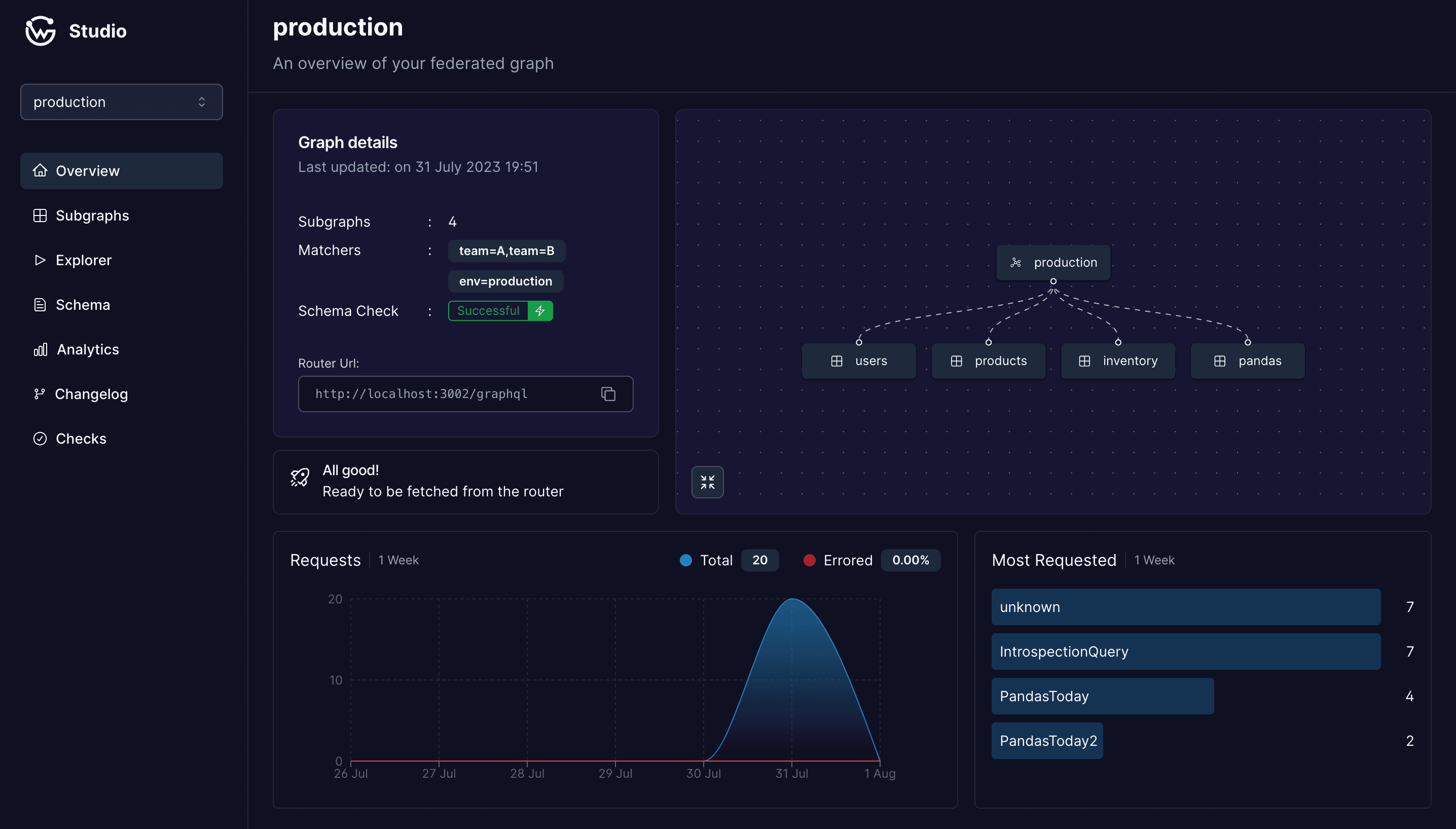
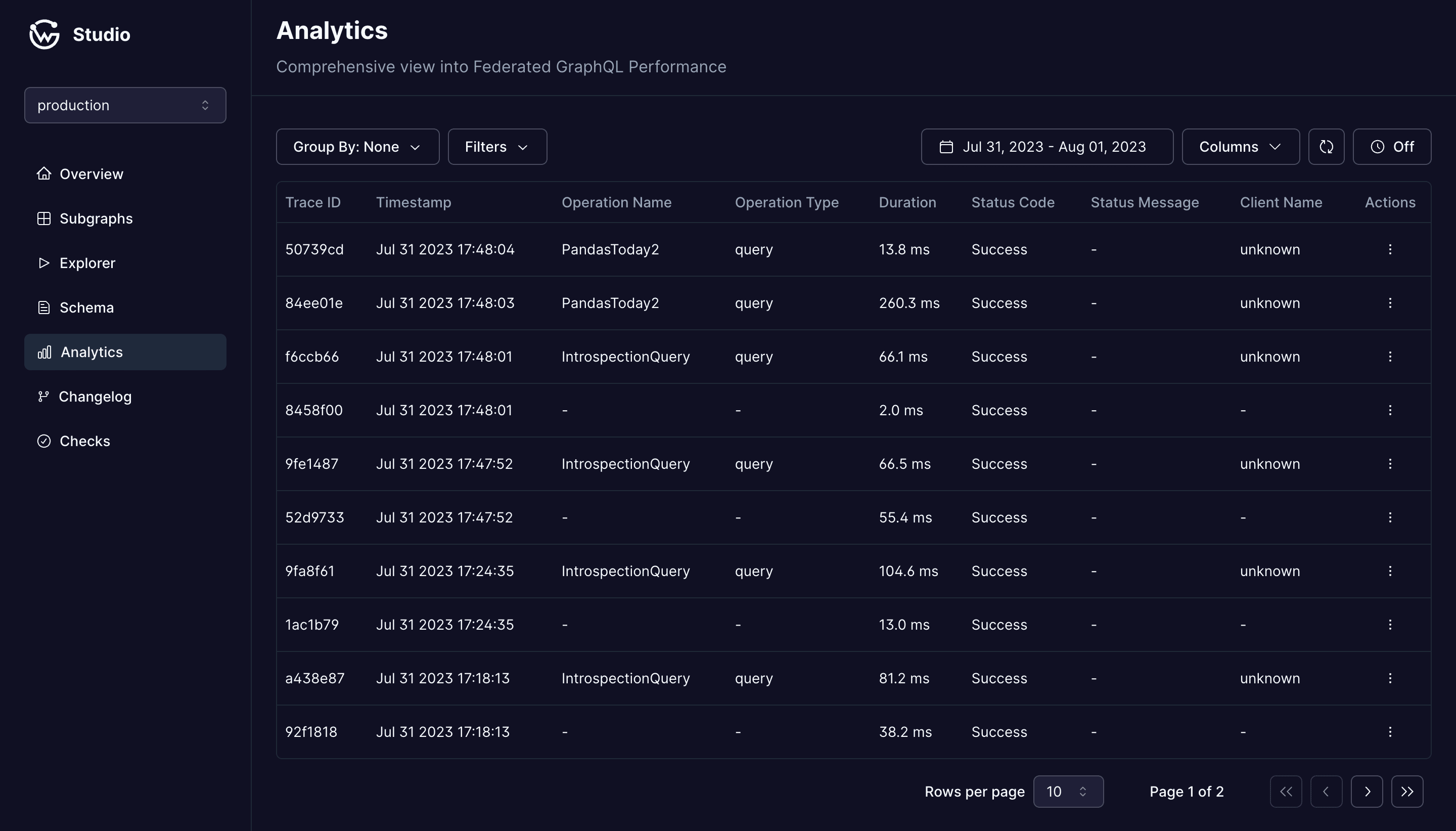
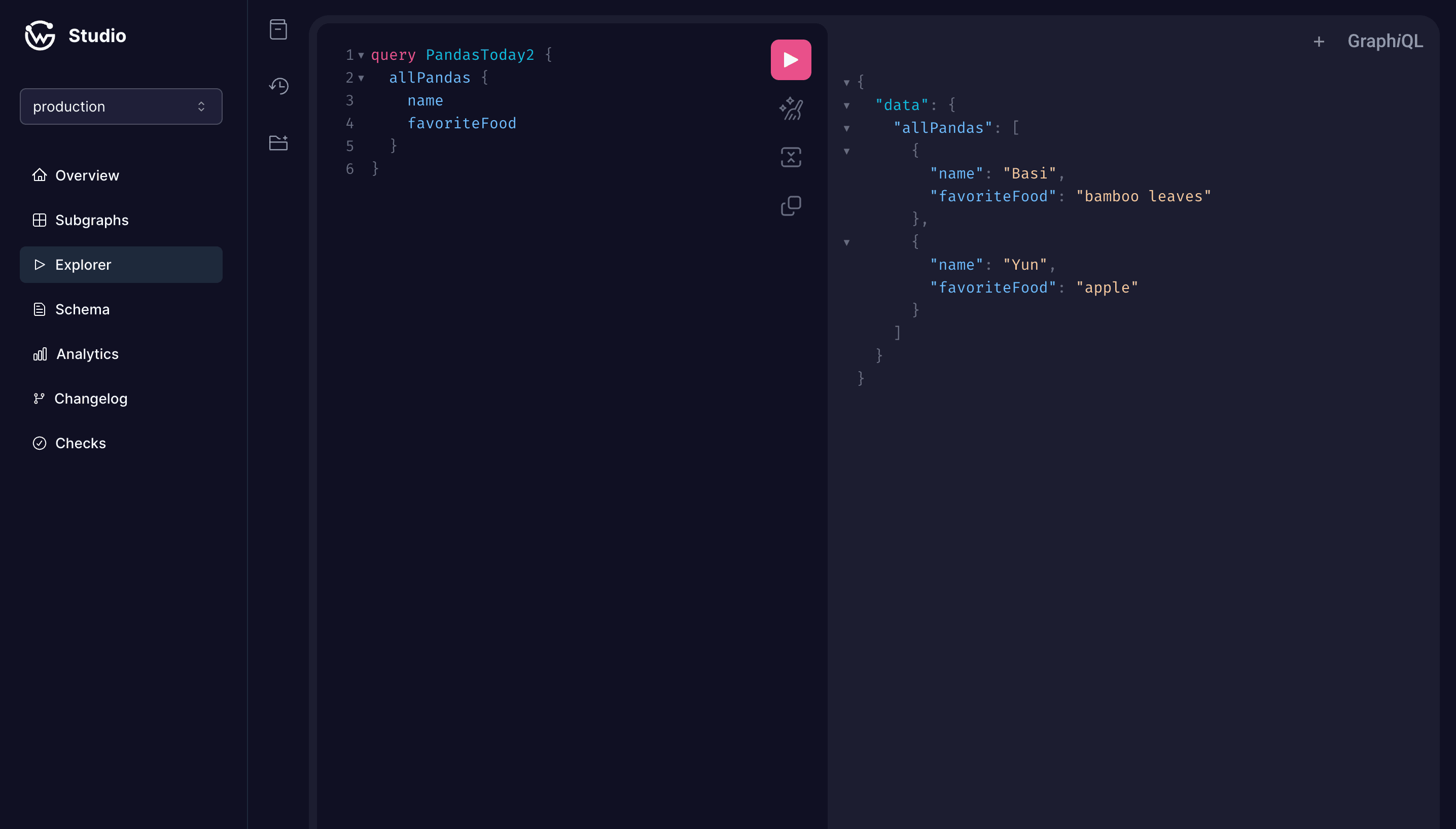
Cosmo Studio is the UI to explore and manage your subgraphs and federated graphs, with analytics, traces, and schema check results.
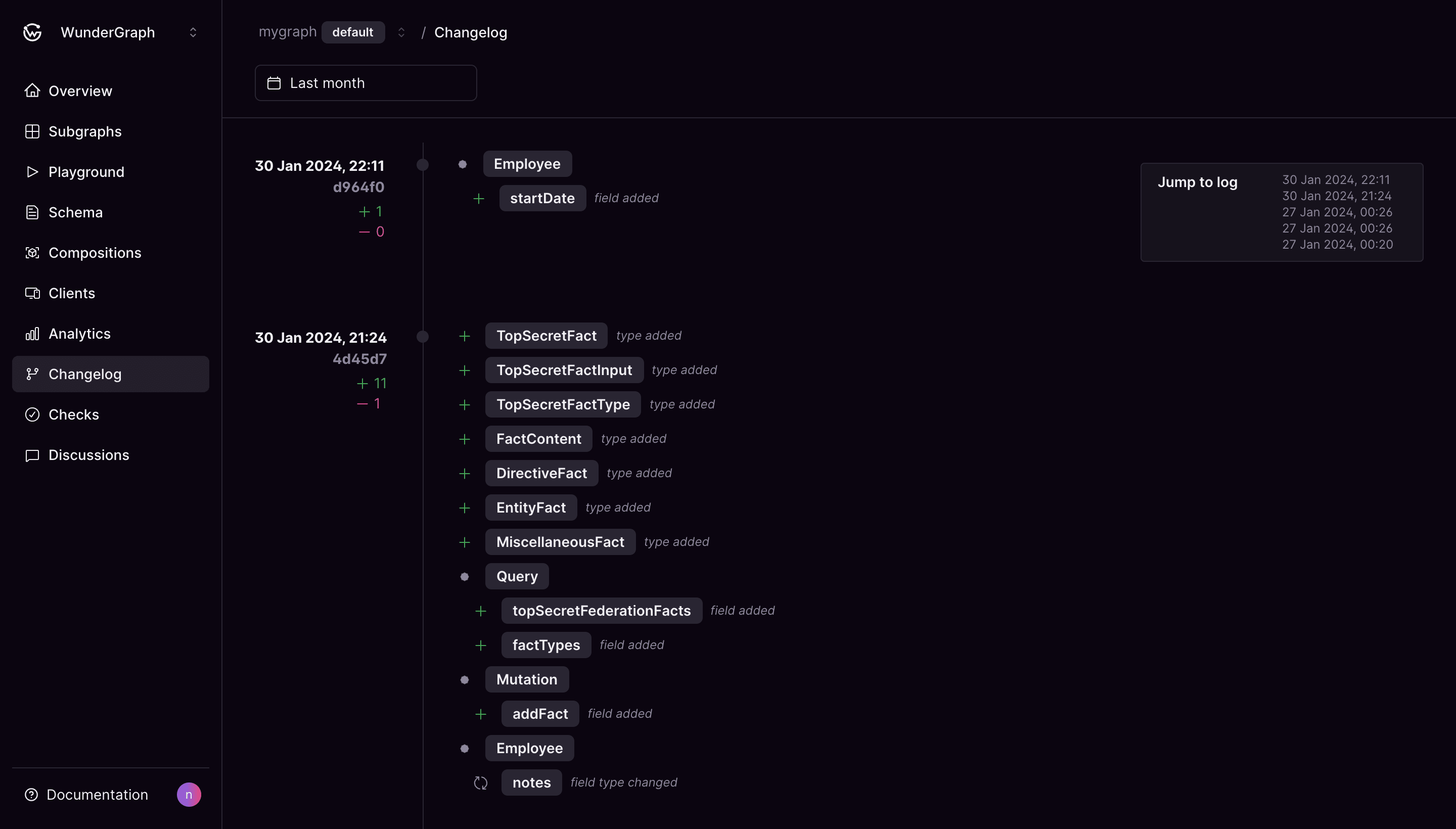
The changelog shows how your schemas change, the schema explorer shows each type and its usage, and the audit log records who did what, and when.
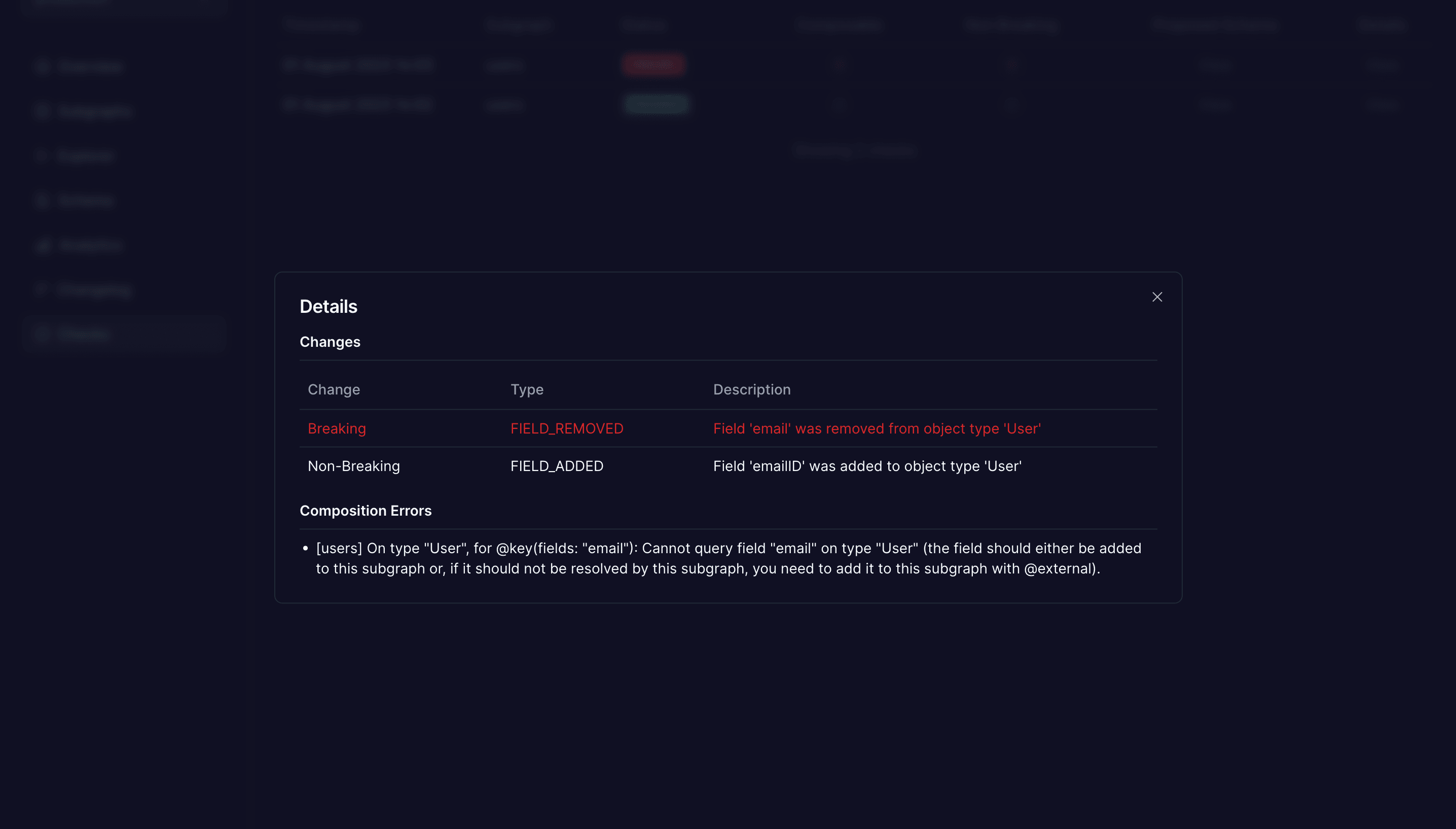
Schema checks catch composition errors and breaking changes before a subgraph is published.
Self-host the whole platform, open source, or use Cosmo Cloud. You run the router either way.
Cosmo Studio
Stay up to date on all the latest schema changes with the changelog
Built-in compliance and full flexibilityFeatures that help you
focus on things that matter
Analytics, scale, and one open-source stack.
Analytics
Understand how and by whom your graph is consumed, monitor usage and track down performance and latency issues. On Cosmo Cloud, data retention depends on your plan.
Graphs and labels
Self-hosted Cosmo has no plan limits on graphs or subgraphs; Cosmo Cloud plans set them. Use labels to choose which subgraphs compose into each graph, and namespaces to keep environments apart.
One open-source stack
Router, control plane, Studio, and CLI are developed together in one open-source repository, so they are built to work with each other.
FAQ
Federation for microservices
Not necessarily. Draw subgraph boundaries along team ownership and domains. A team can own several services behind one subgraph, or several subgraphs.
It can, if subgraphs still have to change and deploy together. Federation does not fix boundaries drawn in the wrong place. When boundaries follow team ownership, per-subgraph schema checks, @override, and feature flags let each team change and ship its subgraph on its own.
An edge API gateway routes requests by path or host and handles concerns such as authentication and rate limits. A federation router understands the GraphQL schema. It plans each query across subgraphs, calls the ones that own the requested fields, and merges the results. The router can sit behind your existing edge gateway.
When several teams need to change the same schema and coordinating them has become the bottleneck. If one team owns the whole API, or your domains are still changing fast, a single well-structured schema is simpler to run.
Yes, through Cosmo Connect. You write a subgraph schema, Cosmo compiles it to a protobuf definition, and you implement it as a gRPC service in any gRPC language, or as a router plugin in Go or TypeScript. Existing REST and SOAP APIs can be wrapped this way without writing a full GraphQL subgraph.
Yes, there is a network hop from the router to each subgraph, plus query planning. The router caches query plans, runs independent subgraph fetches in parallel, deduplicates identical in-flight requests, and can rewarm plans after a config reload. End-to-end latency still depends on how many subgraph fetches a query needs and how fast each subgraph answers.
In WunderGraph Hub, a type can have a type owner, and each subgraph can have subgraph owners. Type owners review any change to their type, whichever subgraph resolves it. Subgraph owners review changes to fields in their subgraph. A change can need approval from both.
Want to talk it through?
Get in touch
Tell us about your microservices and how your teams work, and we'll help you plan the move to federation.